 FreezerSmart
Your household's freezer overview
Always know what's in your freezer – and use it in time.
FreezerSmart is a small app for the whole household. It shows what you have, where it is, and what to use first. So less food ends up in the bin.
FreezerSmart isn't open for sign-up yet. The button opens an email to us, and we'll only write to you when the app is ready.
What you get
No more digging at the bottom of the freezer
Five things the app already does today for the household that built it.
-
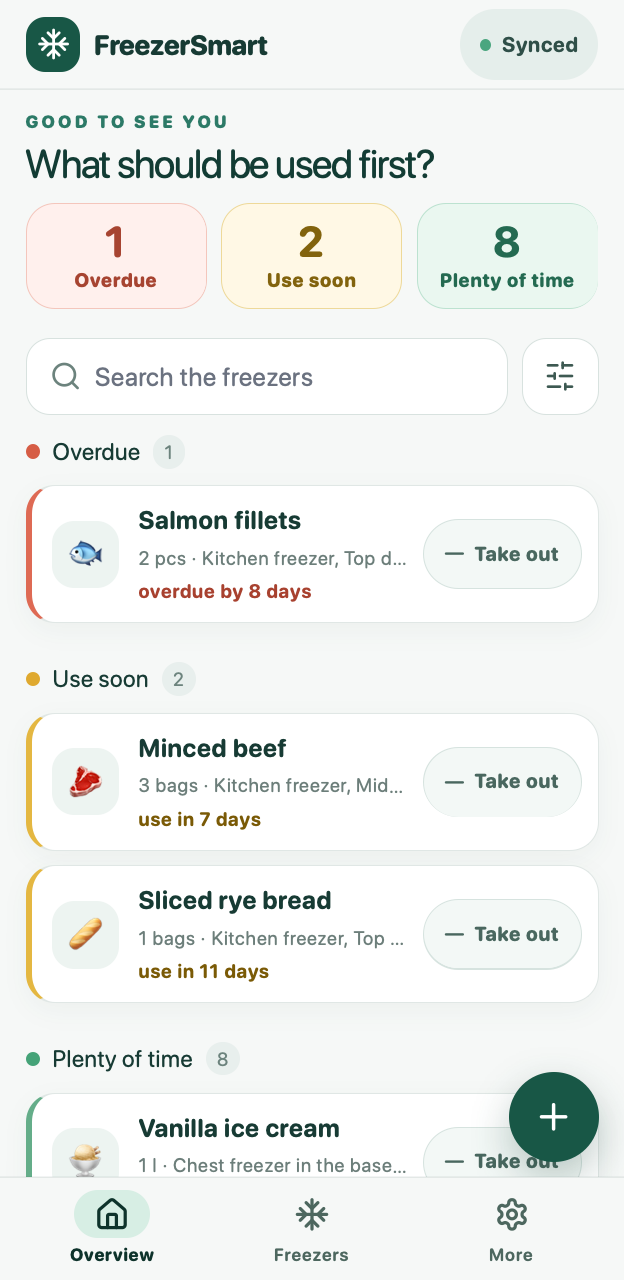
See what to use first
The overview sorts your items into Overdue, Use soon and Plenty of time, so you can plan dinner around what needs using.
-
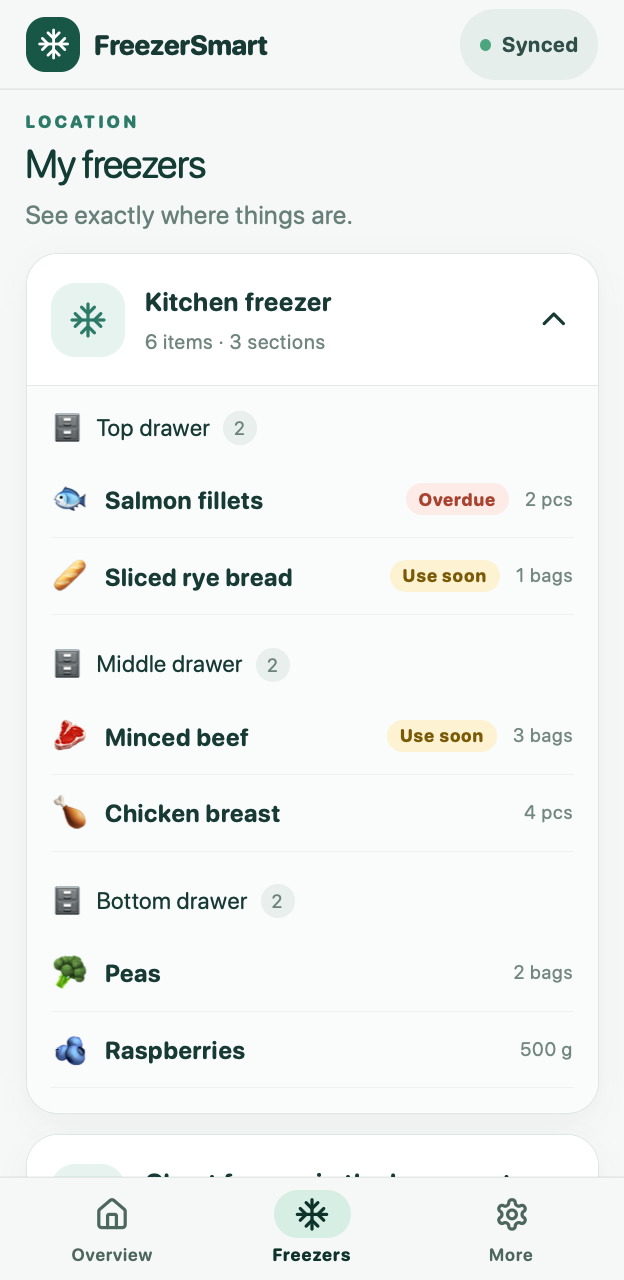
Find it in the right drawer
Set up your freezers with drawers, shelves and baskets. Every item has a place, and you can search across all your freezers.
-
Works offline – shared by the household
The app works in the basement with no signal. Changes are saved on the phone and synced with the rest of the household's phones once you're back online.
-
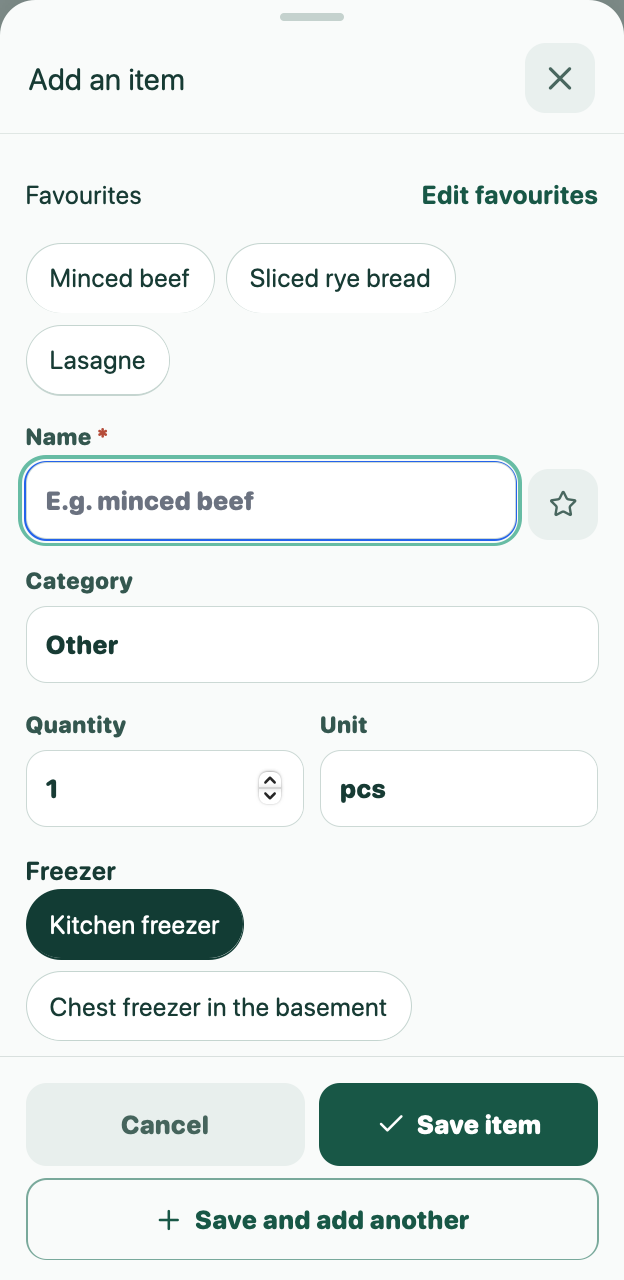
Add items in seconds
Save the things you freeze often as favourites. The app suggests a use-by date from the category, and you can always change it.
-
Keep an eye on food waste
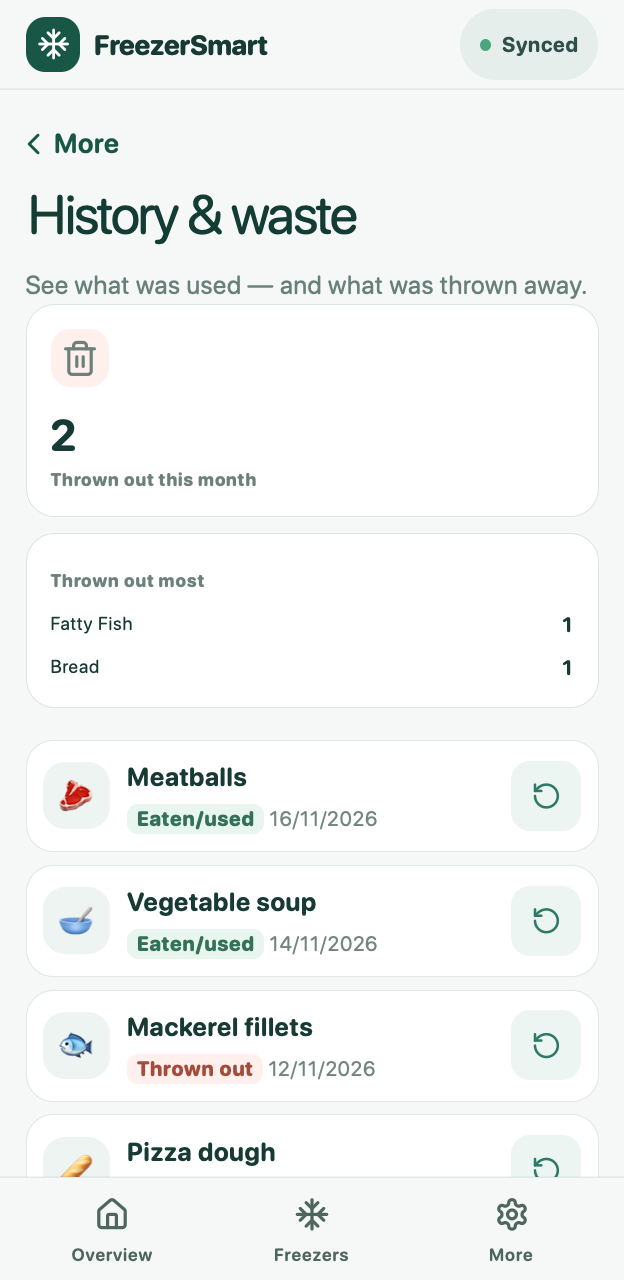
When you take something out, you choose whether it was eaten or thrown away. The history shows what goes to waste, and in which categories.
A look inside
What it looks like
Real screenshots from the app with sample data.
How it works
Three steps to a freezer you can trust
-
Set up your freezers
Name each freezer and split it into the drawers, shelves or baskets it has.
-
Add items as you freeze them
Type a name and quantity, and pick a place. The app suggests when the item should be used by.
-
Take out what you use
Tap Take out and choose eaten or thrown away. The overview is up to date on every phone in the household.
Privacy
Your data is yours
What's in your freezer is nobody else's business. FreezerSmart is built for a household, not for advertisers.
- No ads and no tracking in the app.
- Only your own household can see your items.
- You can export your data as a file at any time.
- This page uses no cookies and loads nothing from other services.
- The server is in Denmark, and backups are encrypted.
- Write to us and we delete your account and data.
Questions and answers
Good to know
Can I try FreezerSmart now?
Not yet. We are starting with a small group of invited households and will then open to everyone. Write to us and we'll let you know when there is room.
What will it cost?
The price hasn't been decided yet. We'll announce it before sign-up opens.
Do I need to download an app from the App Store?
No. FreezerSmart is a web app that opens in your browser and can be added to your home screen, so it looks and feels like a regular app. There is no app in the App Store or on Google Play.
Does it work without internet?
Yes. Once the app has been opened once with a connection, you can view, add and take out items offline. Changes are sent on as soon as the phone is back online.
Can several people in the household use it at once?
Yes. Everyone in the household sees the same overview from their own phone. If two people take something out at the same time, both are counted.
How does the rest of the household join?
Whoever creates the household sends an invitation link from the app. The person who gets it creates their own account and sees the same as everyone else at once. Several people can be owners and invite others.
What if I get a new phone?
Sign in with your username and password. If you are signed in on another device, you can also make a one-time code there and use it on the new phone. The household's data is on the server, so nothing is lost.
How do I delete my account?
Write to us and we delete your account and your data. You can first export the whole household as a file from the app. See the privacy policy.
Where do the storage times come from?
Each category has a suggested freezer storage time. For meat, poultry and fish the suggestions are based on guidance figures from DTU National Food Institute in Denmark. You can change them as you like and create your own categories.
Can it scan barcodes or send reminders?
Not today. The app sticks to the basics: what you have, where it is, and what to use first.
Which languages does the app come in?
Danish and English. Each user picks their own language.
Want to be among the first?
Send us an email and we'll write to you when FreezerSmart opens up to more households.